Stop second guessing
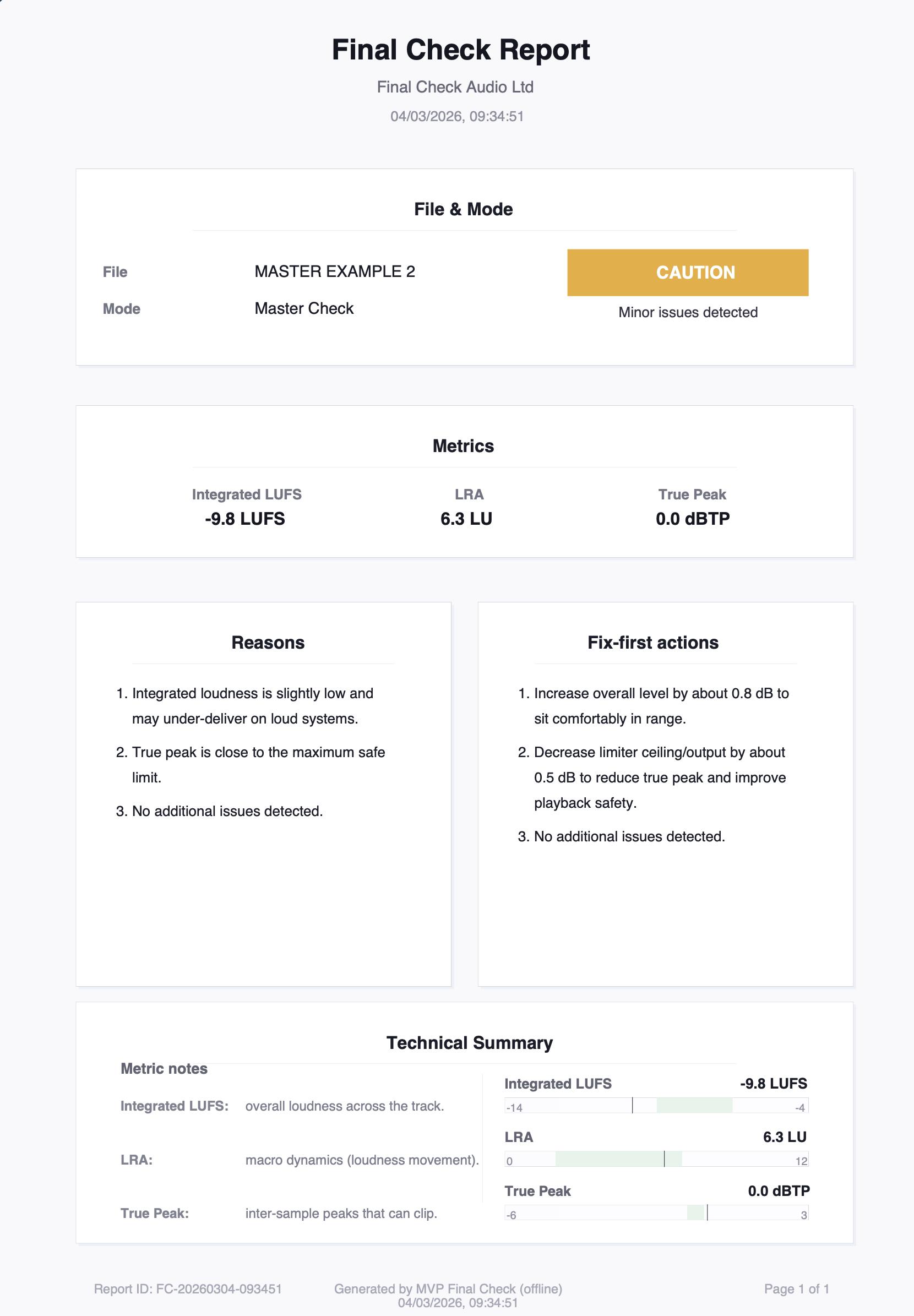
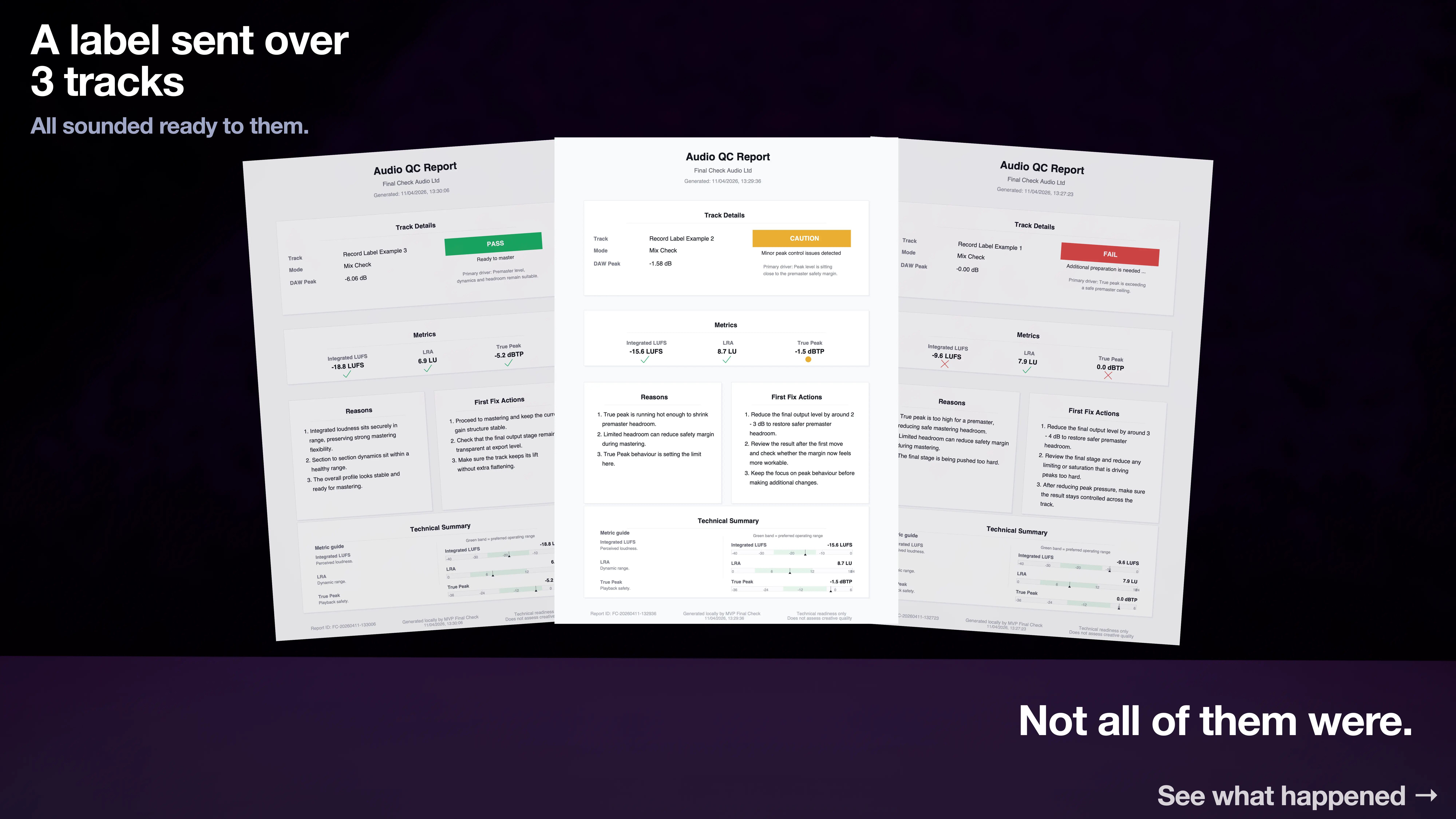
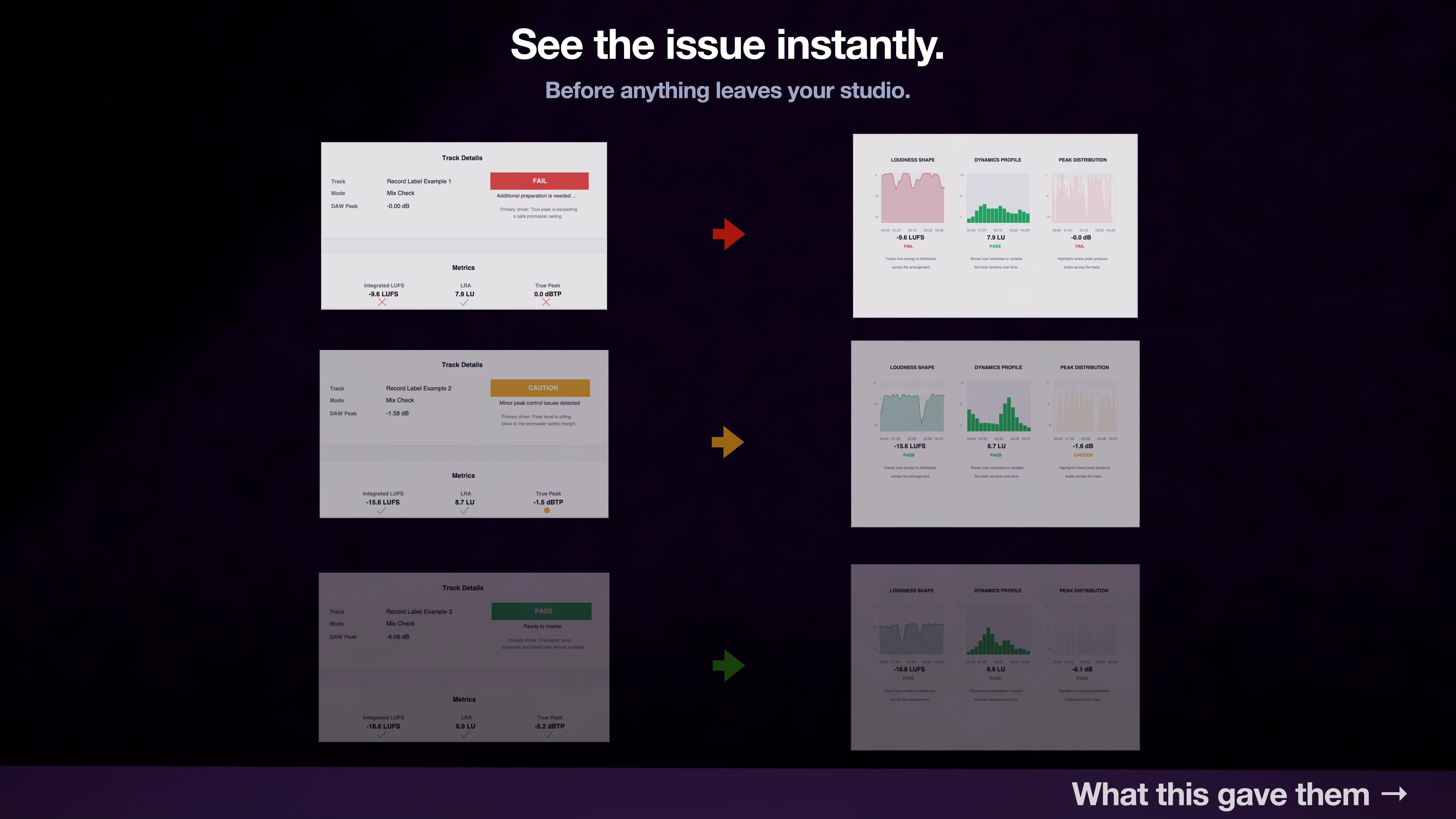
Clear PASS / CAUTION / FAIL results so you know whether to send it out, hold it back, or make changes first.
Standalone Desktop App • Mac • Windows
Import your premaster or master and get a clear result before you send it out. Used by producers, record labels, mastering engineers and audio professionals.
Get your result. Fix what matters.
Deliver with confidence.
Clear PASS / CAUTION / FAIL results so you know whether to send it out, hold it back, or make changes first.
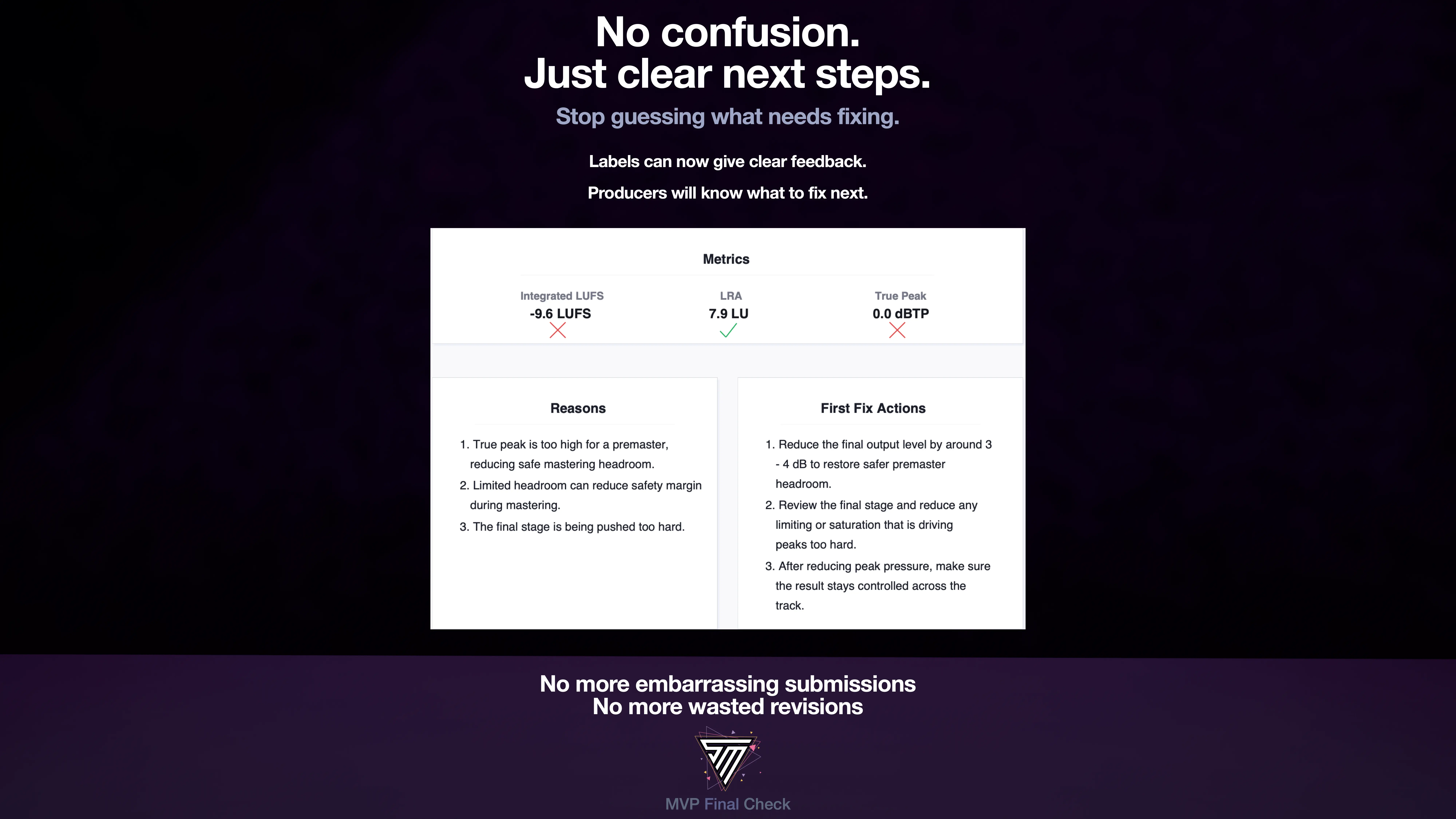
3 reasons and 3 fix-first actions focused on the moves that matter most before delivery.
Integrated LUFS, loudness range, true peak and additional signal checks are measured using widely adopted audio standards.
Drop your track in. Get a clear verdict, understand what’s holding it back, and fix what matters before delivery.
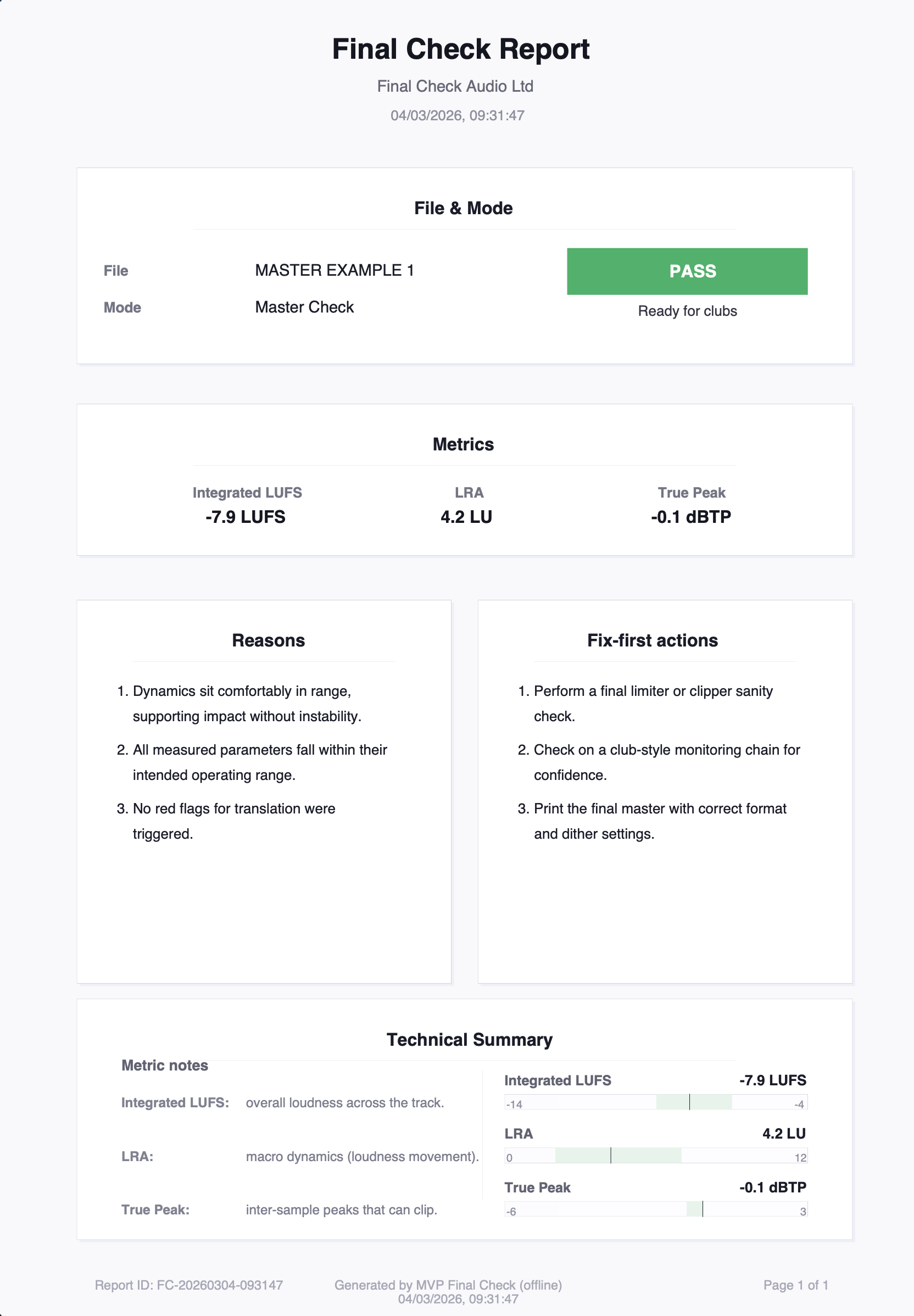
Share your result with confidence. Export a clean PDF with your PASS / CAUTION / FAIL outcome, key release metrics, and fix-first actions, ready for clients, labels, educators or collaborators.
Save yourself time. Fix what matters before you send.
See exactly how your premaster reads before you send it out.
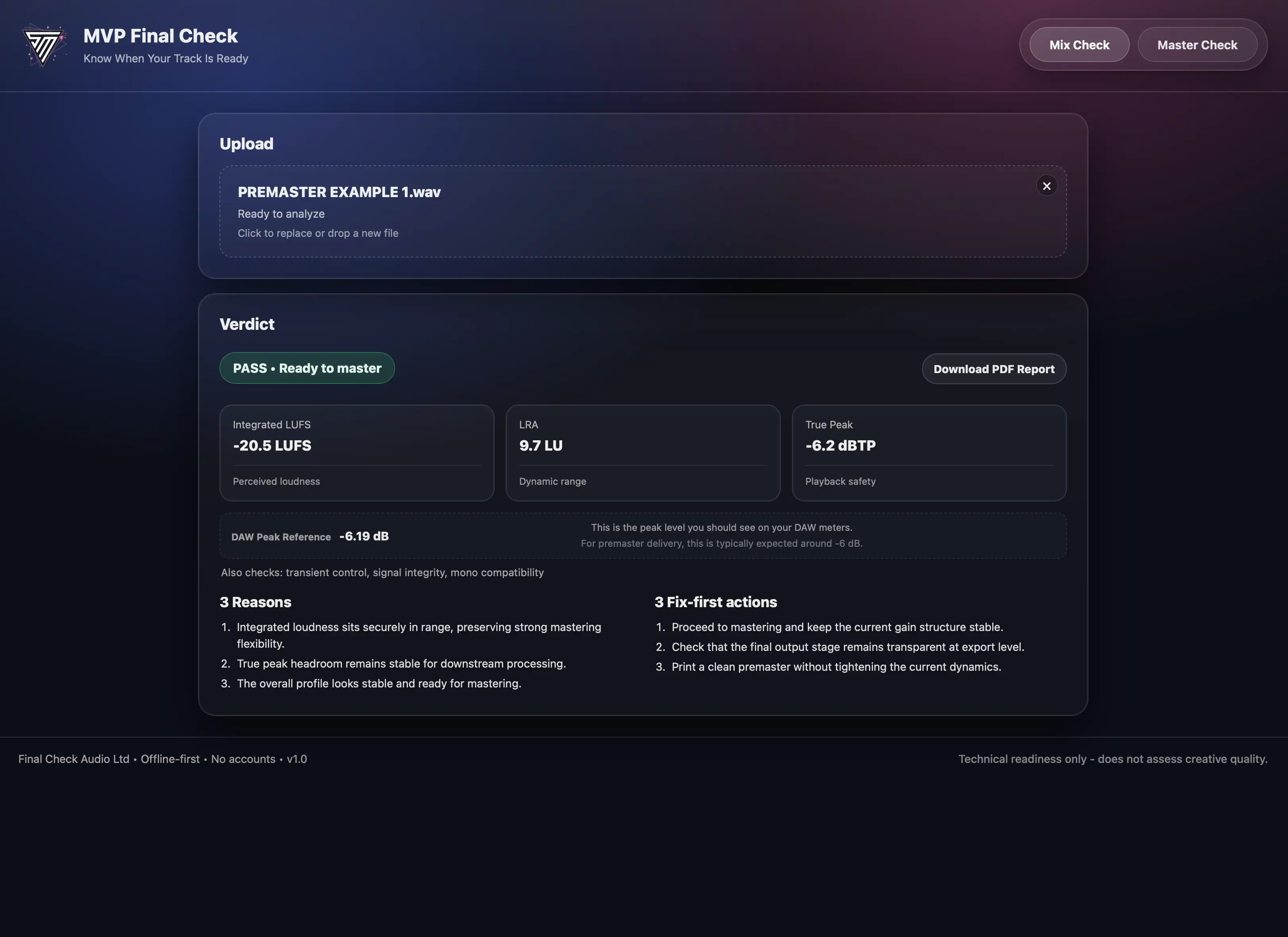 PASS
PASS
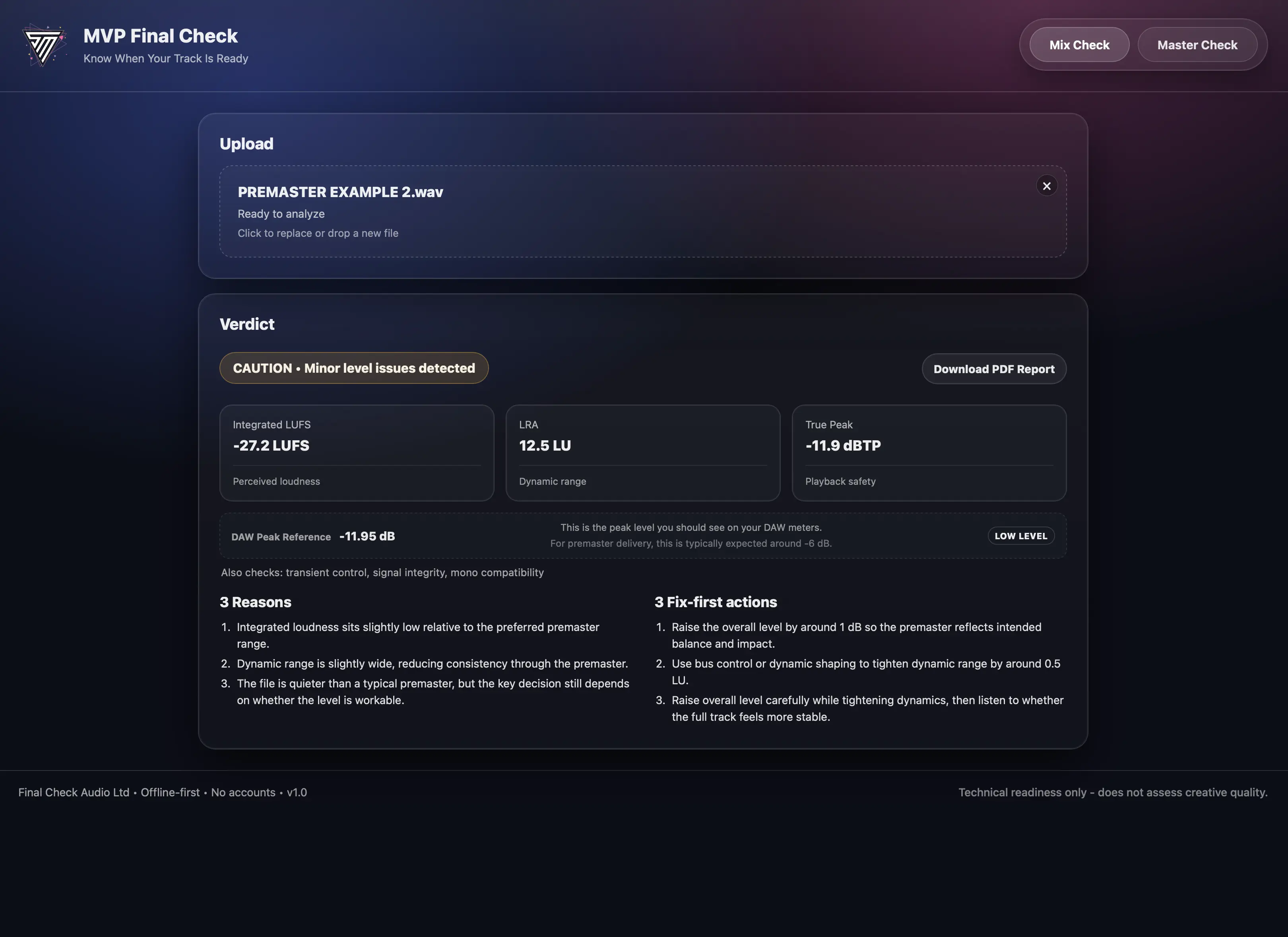 CAUTION
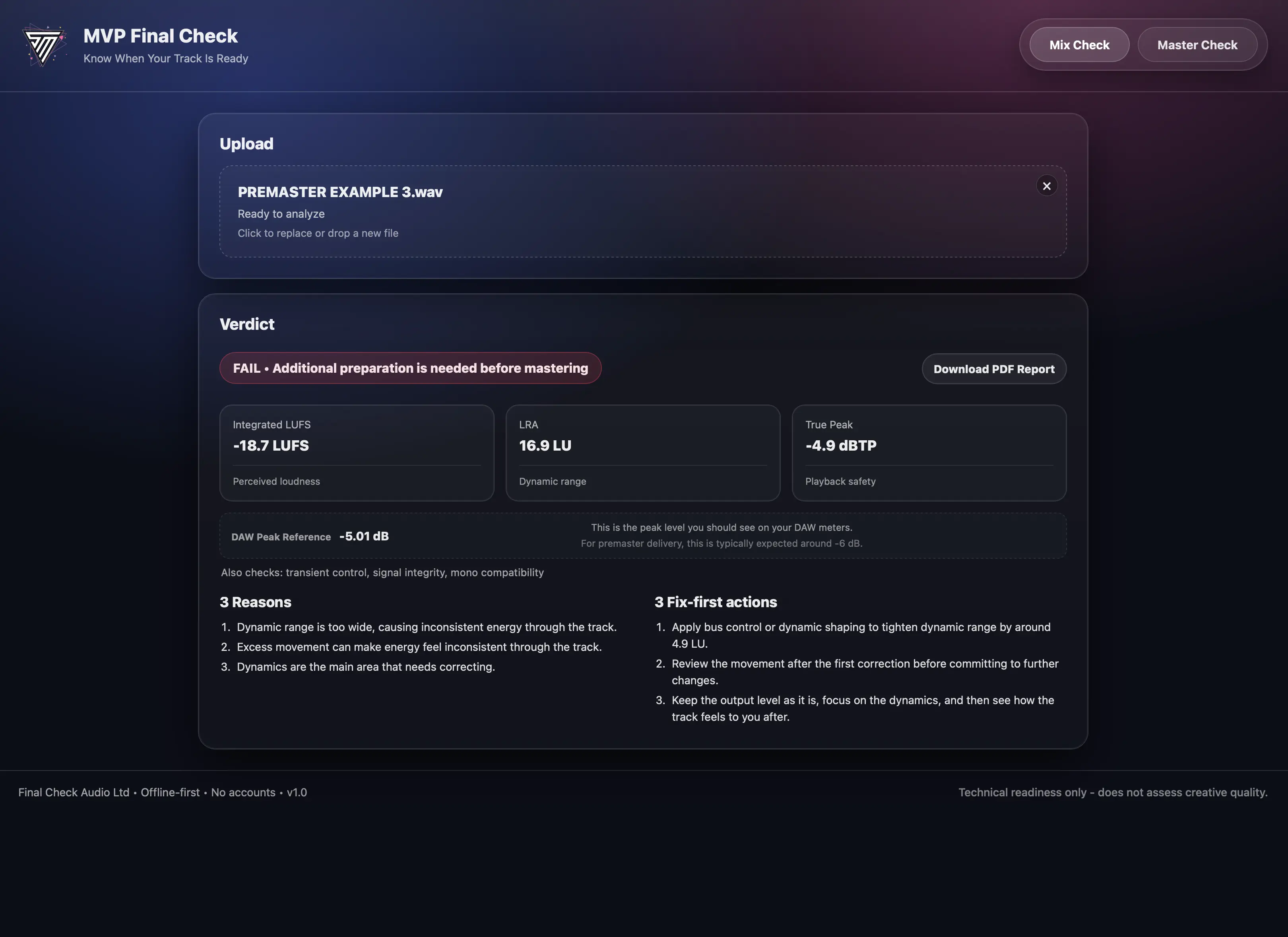 FAIL
FAIL
See how your master translates before release or final delivery.
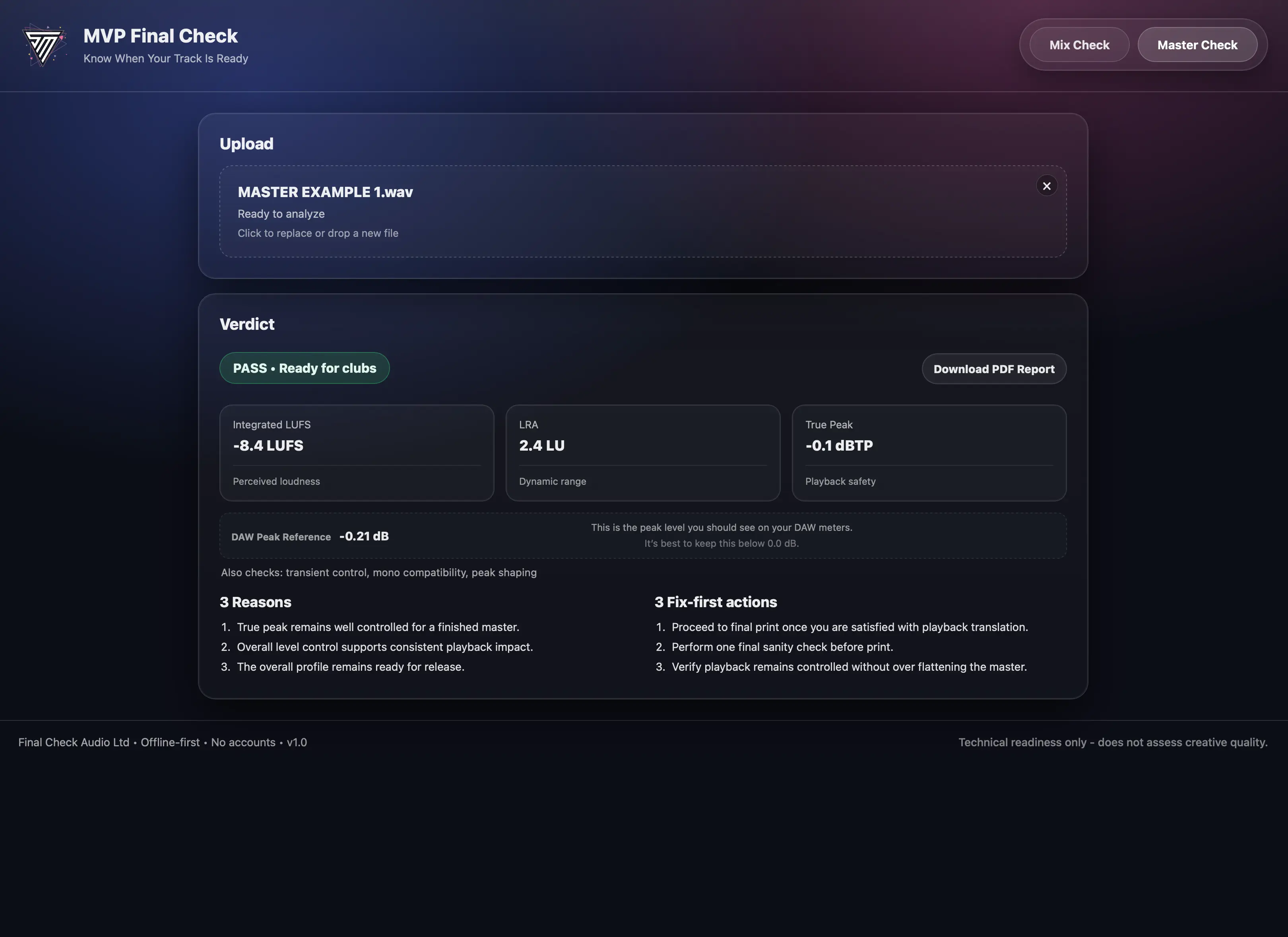 PASS
PASS
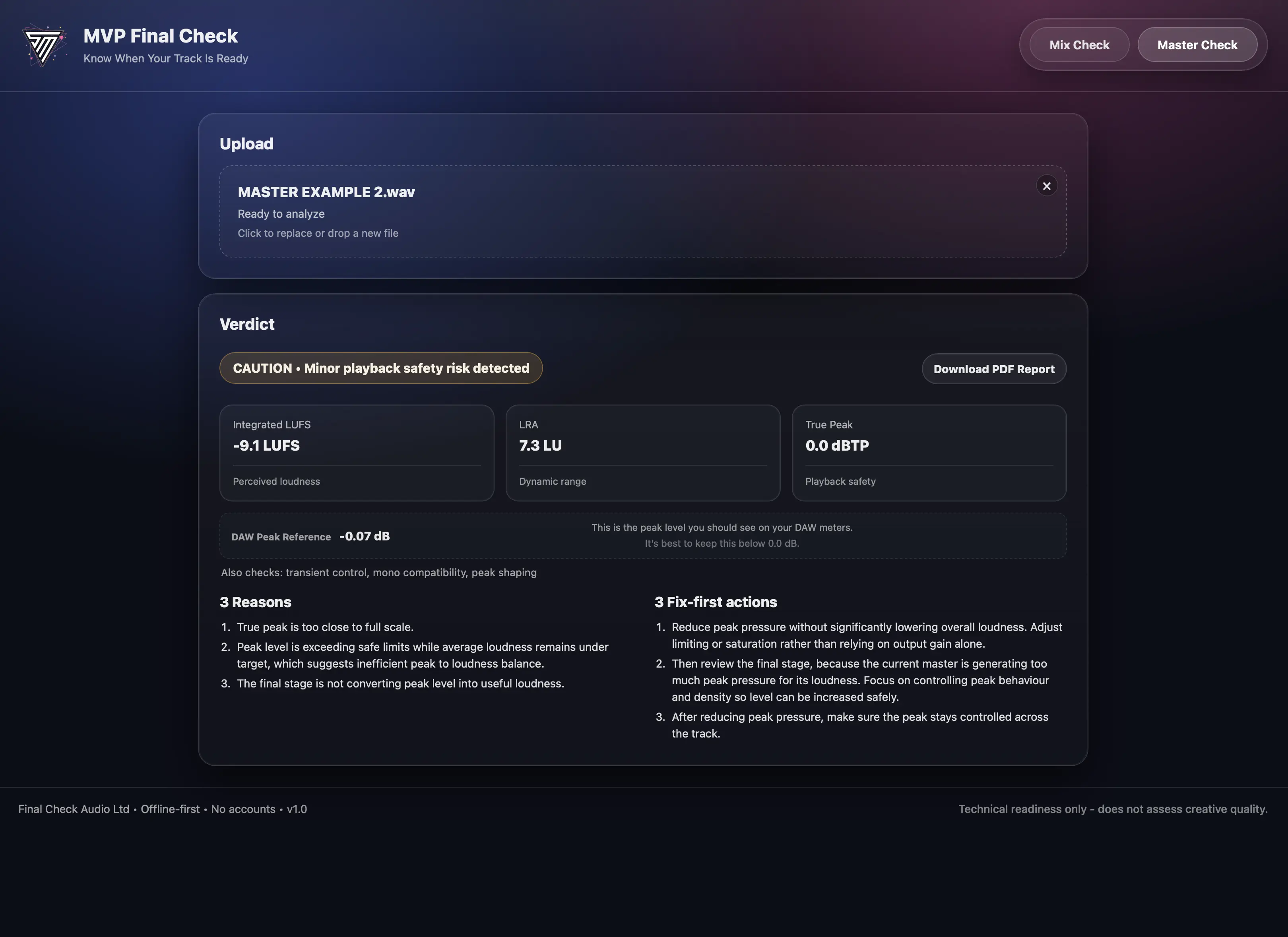 CAUTION
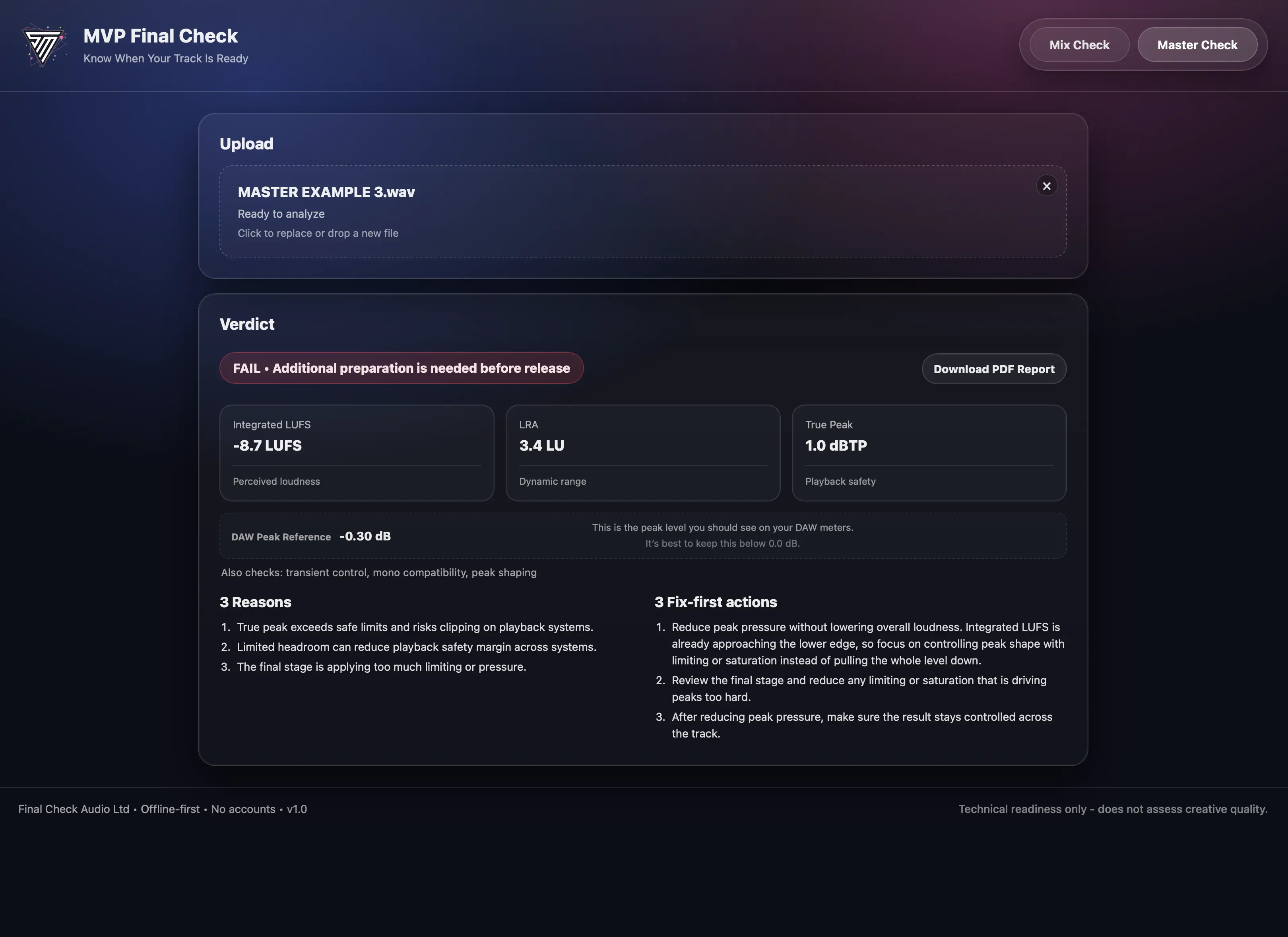 FAIL
FAIL
Feedback from users of MVP Final Check.
Final Check combines established loudness and true peak standards with additional signal integrity checks used in professional delivery workflows.
Integrated loudness (LUFS) and loudness range (LRA) follow the EBU R128 / ITU-R BS.1770-4 loudness model.
True peak levels are measured using oversampled inter-sample peak detection, allowing the system to identify peaks that may occur between digital samples during playback.
All analysis runs locally on your computer. Audio files are never uploaded, stored, or transmitted.
Discounted access is available for students and educators studying Audio Production, Sound Engineering, or related courses.
We support universities, colleges, and independent learning programs. Get in touch and we’ll help you access the student rate.
If you're unsure, we can arrange a limited trial so you can test the app properly before purchasing.
Available for macOS and Windows.
macOS:
macOS 13.7.8 and later. Tested on Intel and Apple Silicon (M1/M2/M3).
Windows:
Available in both 32-bit and 64-bit versions.
Most users should download the 64-bit version (standard on modern systems).
The 32-bit version is only for older Windows computers.
If you're unsure, choose 64-bit as it's correct for nearly all users.
If you download the wrong version, you can re-download the correct one using the link in your purchase email.
On some systems, Windows may display a security prompt the first time you open the app. This is normal for new software and you can proceed to run it.
No. MVP Final Check assesses technical readiness only. It does not judge creative quality, taste, songwriting, arrangement, or artistic value. It helps you decide whether a premaster or master is technically ready to send out and highlights areas to review if it isn’t.
No. It’s a standalone desktop app, not a VST, AU, or AAX plugin. Export your audio from your DAW and run the check inside the app.
It tells you whether your premaster or master is ready for release or delivery, based on real world playback standards used in clubs, DJ environments, and label submissions.
Final Check evaluates loudness (LUFS), dynamic range (LRA), true peak, and additional signal behaviour to determine whether your track will translate consistently across playback systems.
Designed for digital delivery and club playback. Vinyl mastering follows different physical constraints and should be handled separately.
This is not a streaming optimizer. Streaming platforms may adjust playback level, but they do not improve weak or unbalanced masters.
If your track isn’t ready, it shows you exactly what to fix first.
PASS means your file is in a healthy range for the selected check. CAUTION means there are issues worth reviewing before delivery. FAIL means it likely needs changes before you send it to DJs, labels, or a mastering engineer.
No. Final Check is a decision tool, not a mastering service. It helps you verify whether a premaster or master is ready before sending it out, so you can deliver with confidence.
No. The app runs locally on your computer. Internet is only required once during licence activation.
After purchase, you’ll receive your licence key and download instructions by email. Enter the key in the app to activate your copy.
The app supports common production formats such as WAV and AIFF exported from your DAW.
Each licence allows activation on a limited number of devices. If you change computers, contact support and we’ll help with activation management.
Final Check is built for Producers, Mastering Engineers, Record Labels, Artist Managers, Audio Professionals, Music Students and Educators who want a fast confidence check before release or delivery.
Yes. We offer education pricing for students and educators studying Audio Production, Sound Engineering, or related subjects. Get in touch and we’ll help you access the student rate.
Still have questions?
Get in touch